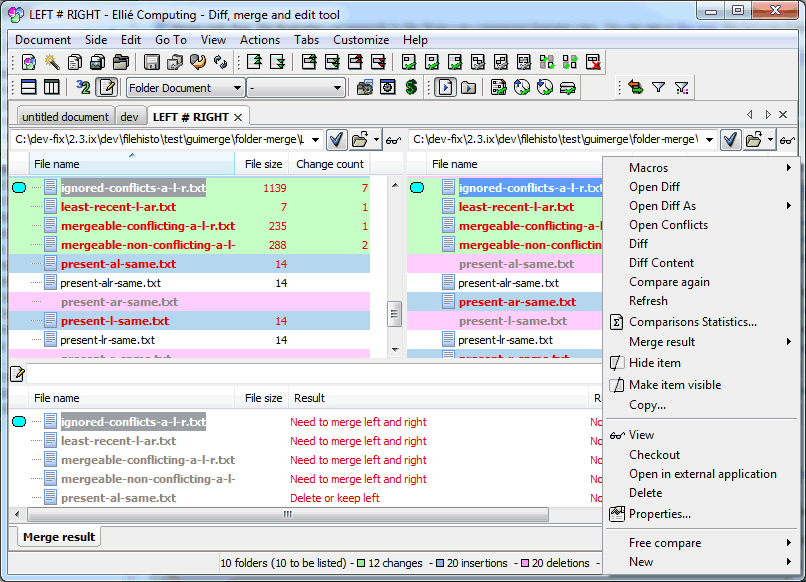
Please note
that this illustration corresponds to the three-way
comparison/merging view. You can see in this
topic the two-way Folder Comparison.
show/hide ancestor
Showing or hiding the ancestor is only a display setting for
you. It does not change anything in the comparison
process.
See also show or
hide the ancestor for a comparison view.
contextual menu
The contextual menu for each folder comparison items contains
the possible actions on this item to view/edit it, to
compare/merge items when available in several views and to
solve the conflict.
See also resolving
conflicts, contextual
menu
status bar
The status bar shows various information:
the total number of known folders (visited + to be
visited), the number of remaining folders to be visited is
also indicated,
the number of pending comparisons (content comparisons
for files, when necessary to determine if the items are
identical or different),
the number of known conflicts (only in Merge mode).
the number of removed, added or modified files
precedeed by their colour code


 Please note
that this illustration corresponds to the three-way
comparison/merging view. You can see in
Please note
that this illustration corresponds to the three-way
comparison/merging view. You can see in