Call us at +1 586 62 ELLIE Office Closed
sales@elliecomputing.com

Newsletter
Keep up to date with the new features added to ECMerge, the new products that we release and receive special offers! (approx. once a month):
HTML version
Text version
Testimonials

NewsRSS 2.0
July 1st, 2008: We just released ECMerge 2.1.79. This version fixes several bugs and changes the behaviour for a few features, this version fixes in particular a regression bug for an optimization in the folder comparison, it gives back to ECMerge its usual velocity!

See Ellié Computing Merge overview

What's new in Ellié Computing Merge 1.2?

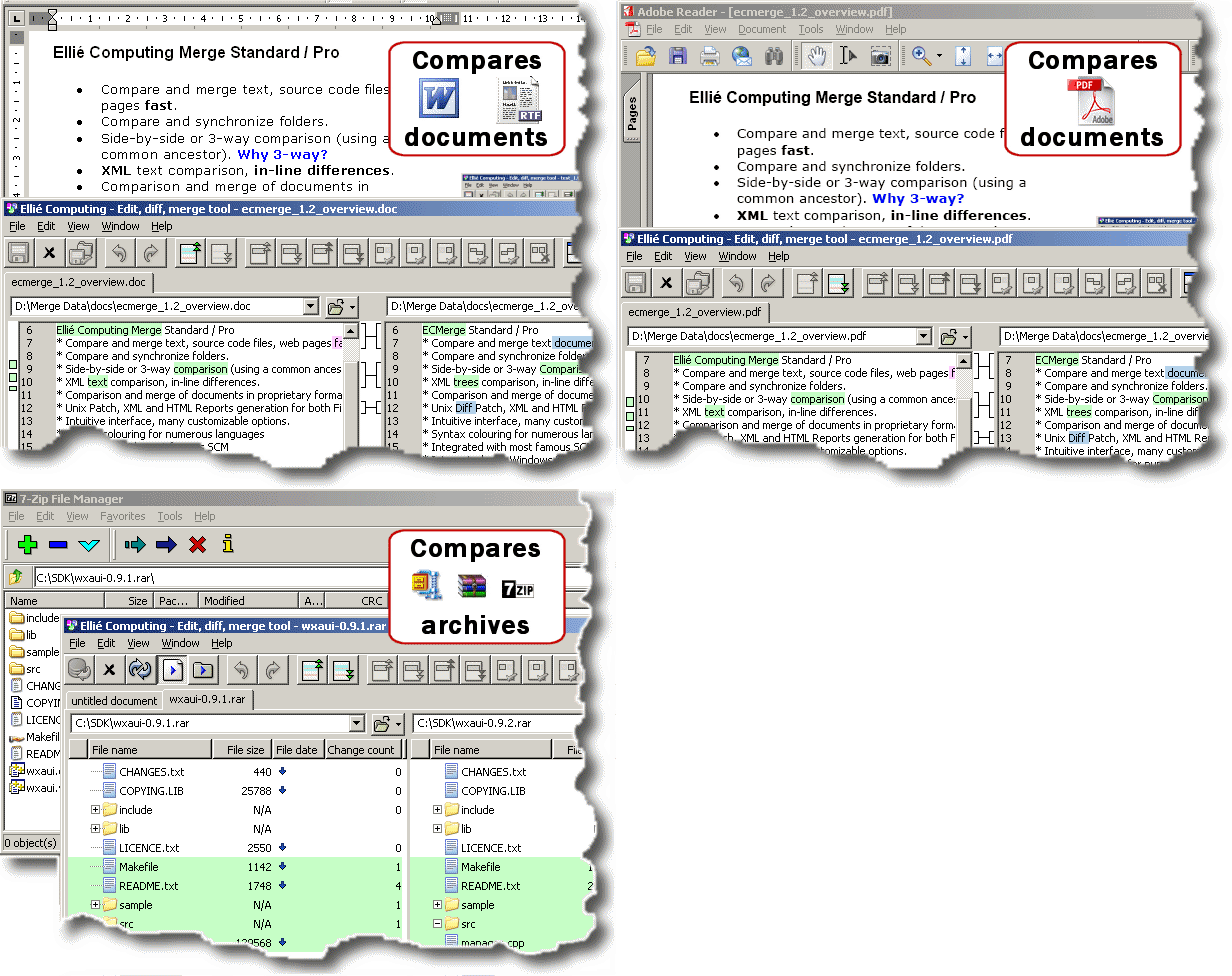
Comparison of ZIP/RAR archives and text files in proprietary format

You can now define custom converters (using third-party software) to expand archives into folders or convert e.g. Microsoft Word, RTF or Adobe PDF documents to plain text files and compare them. You can also use converters to filter documents (remove/sort lines, replace parts of text, ...). Several examples are described in the Online Documentation. More info.

Word, RTF, PDF, ZIP

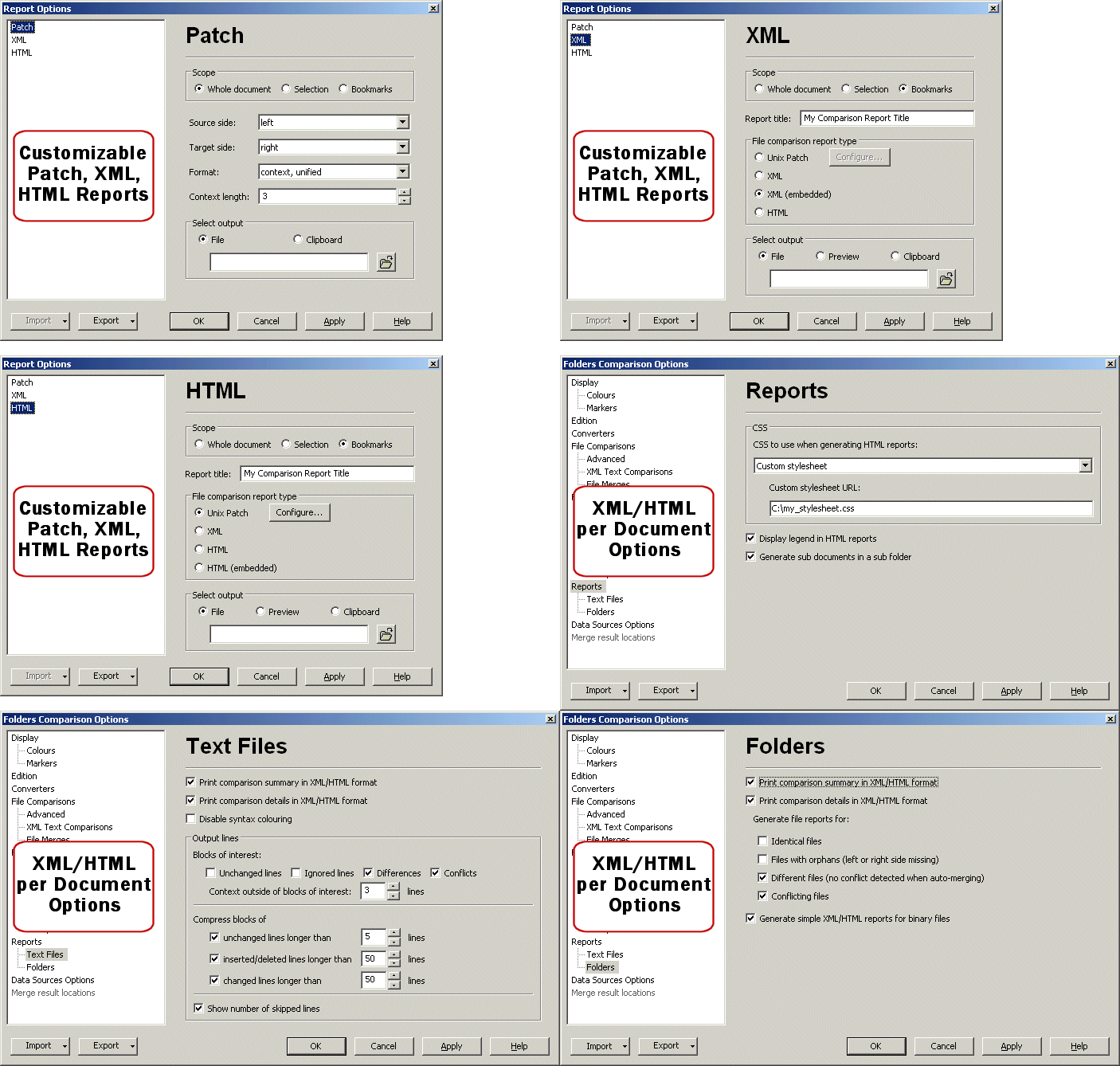
Reports generation in Unix Patch, XML and HTML format

You can now generate reports for both files and folders comparisons, with the graphical application, but also using the command line.
Folder Comparison Reports in XML and HTML can reference sub reports for text and binary files when generated as independant Patch, XML or HTML files. Sub reports can also be embedded in the folder report. Unix Patches can can be produced in the 3 typical Unix patch formats (Normal / Contextual / Unified Context). More info about Reports, generating Reports from the command line.

Options Sets and Application Options

Options Sets are named settings which you can reuse easily. Define your Sets of Options and choose which one to use when opening a new Comparison.
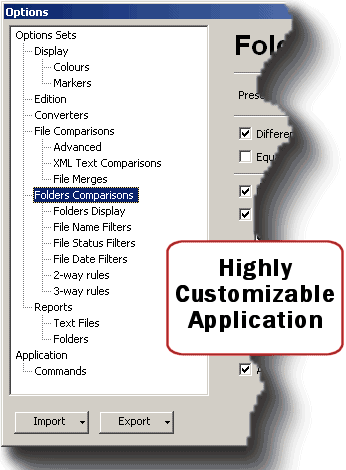
Options

More Filters in Folders Comparisons

ECMerge already had filters by Name and Status, you can now filter the files by date. You can hide files modified before or after a given cutoff date. The cutoff date may be expressed as a fixed number of days relative to 12AM on the current system date, or as a specific date and time.
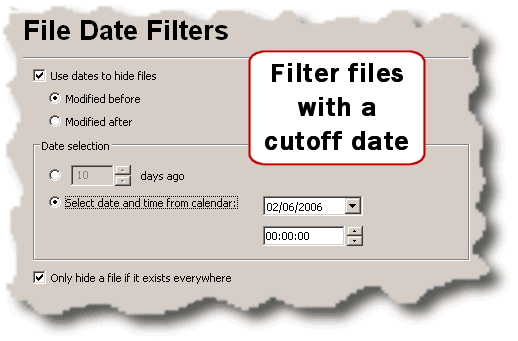
The Filters by Status also have new variants: capability to hide files or folders present or missing in any of the hierarchies, capability to hide all folders that do not contain any visible files.

Filters

Enhanced Folder Comparisons Views

ECMerge can now display a column with the number of differences between files and folders. The File date column can now contain an icon to highlight the newer/older file and/or the date text. The first column still displays the markers. Files and folders that have been hidden (either because matching filters by name/date/status, or manually hidden by the operator) can be displayed, using the colour assigned to "ignored" items. All the display options are used in the Folder Comparisons Reports generation.
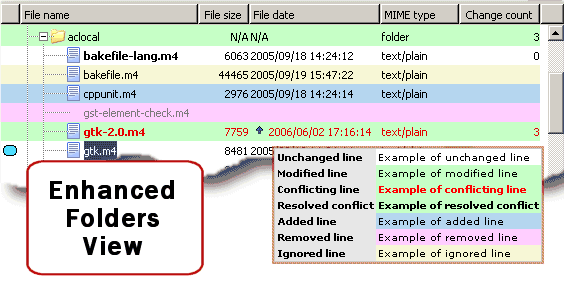
New Folder Comparisons View

Free Compare: Compare files and folders with different names

Using the contextual menu, select the files or folders to compare, as you can do with the Shell Extension in Windows Explorer. You can select items individually, whichever the source folder they belong to, or you can select two or three files or folders in a given hierarchy and open the Comparison with one click (Compare Together). More info about the contextual menu in Folder Comparisons.
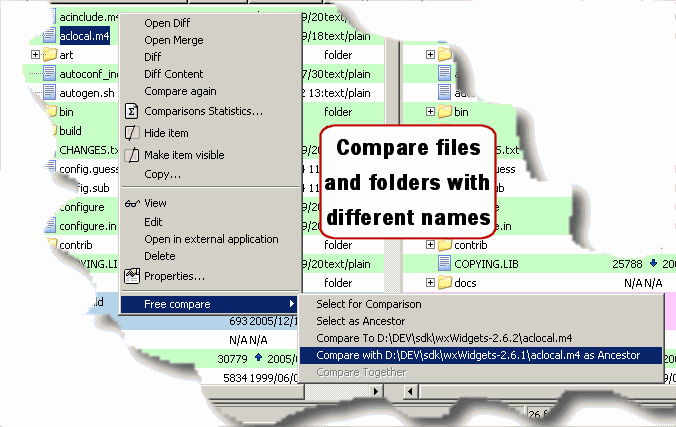
Free Compare

See Ellié Computing Merge overview

Select your language English Français
© Ellié Computing 2004-2008 - Legal information - Resources