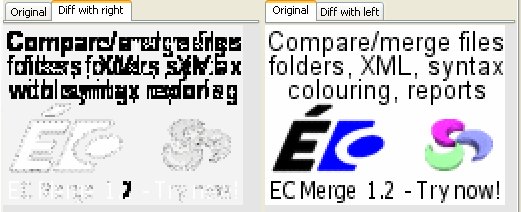
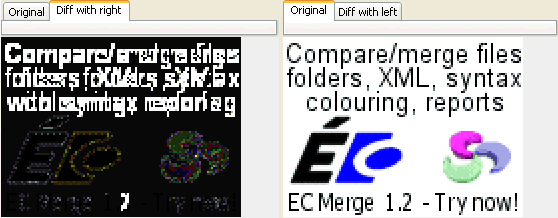
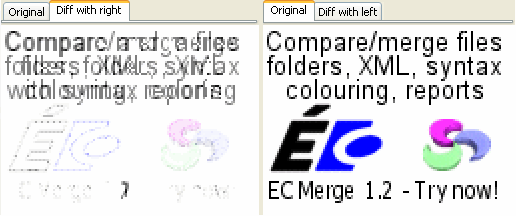
There are several differentiation visual styles. Currently
these styles are based on two algorithms:
Difference
These algorithms compute the mathematical difference
between the pixels colours (grouping the components or
component by component when Chanel per Chanel is
checked).
when grouping the components (Red/Green/Blue) together,
the colour box let you choose which colour must be used for
identical pixels, for fully different pixels and those
between the threshold (called similar pixels). If
you do not specify this colour, similar pixels will be
assigned a blended colour between identical and different
pixels colours.
when using the Chanel per Chanel option, the difference
colours are directly derived from the mathematical
difference between the colours components (e.g. black is no
difference at all, white difference for all the
components)
Mask similarities
This algorithm first computes a 50/50 mix of the two
images and then blanks out totally the identical pixels and
partially similar pixels (with the blanking colour defined in
your settings).
In addition to the visual algorithms, Ellié Computing
Merge computes the following metrics:
Number of Identical, Similar and Different
pixels
The difference amount is defined as the sum of the
difference chanel per chanel divided by the number of
chanels. Identical pixels are those for which the amount is
less or equal to the Exactness threshold. Different pixels
are those above the Difference threshold. The Similar pixels
are the others.
These numbers are displayed in the status bar as: [exact]
< - [similar]~ - > [different].
PSNR (Peak Signal To Noise Ratio) and MSE (Mean
Square Error) (optional)
These metrics are often used to determine the quality of
an signal treatment. Bitmap images and sounds samples
are such signals. The treatment can be for example
compression, filtering...
These numbers are displayed in the status bar as: /
PSNR=[psnr] MSE=[mse]