Call us at +1 586 62 ELLIE Office Opened
sales@elliecomputing.com

Newsletter
Keep up to date with the new features added to ECMerge, the new products that we release and receive special offers! (approx. once a month):
HTML version
Text version
Beta Test - Free licence
WeblogRSS 2.0
Testimonials

NewsRSS 2.0
December 12th, 2008: We just released ECMerge 2.2 beta. This version introduces several new features, from which the Launcher, automatic session, shared options, file types and numerous improvements.

November 21st, 2008: We just parametered ECMerge for a new converter (ExifTool) which extracts metadata from a large number of files types (exe, images, audio, video...), find all the need info on the converters page.
               

compare or merge 2 or 3 files?


Use the menu File/New/New File Comparison... (Ctrl+Shift+L) or File/New/New Text File Comparison (Ctrl+L).

  • The New Text File Comparison opens an empty view in which you can use combos to select files (or a Browse button/menu).
    See Manage a comparison/merge view


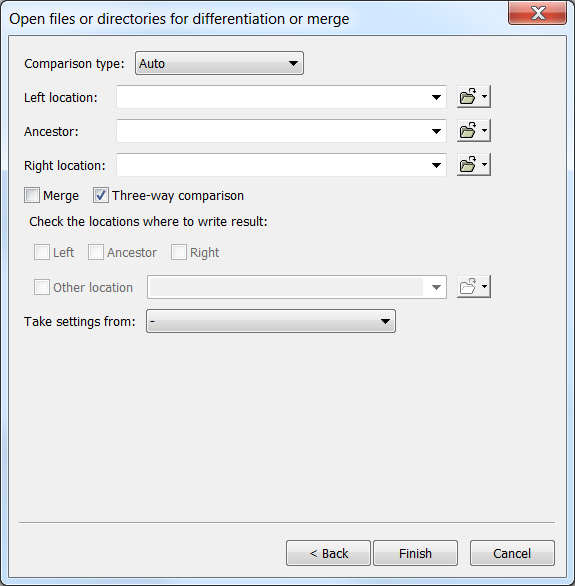
  • The New File Comparison... command opens a dialog box. It allows you to compare both text files and binary files. Binary files are not viewed, but you can still compare them for strict equality or difference.

Once the box is open, select the right panel "Two-way Comparison" or "Three-way comparison".
Unselect the Merge checkbox to open as a simple comparison, or select it and choose (optionnally) where to write the merge result.

See also


Select your language English Français
© Ellié Computing 2004-2009 - Legal information - Resources